October 22, 2026
How to reduce no-shows in a restaurant
TL;DR
A no-show is a table you held for someone who never sat. Confirm the booking the day before, keep it only for the window you told the guest, then seat the next walk-in. A card fee is for nights that list still cannot refill.
Waitlist can store the booking and the walk-in list. It does not charge a card. Start on Free for the walk-in list. Reservations and no-show reports are on Pro pricing.
The short answer
To reduce no-shows in restaurant bookings, count last Friday before you copy a fee from another dining room. Confirm each party yourself, release the table when your hold ends, and keep a walk-in list so the table is not empty. A deposit does not fix a host who never called.
The book says the four-top is taken at 7:30. At 7:45 the chairs are still empty, and the number you call goes to voicemail. A party of two is standing at the door.
That empty table is one of two things. The reservation never arrived, or a walk-in left and missed their name. A fee does not bring back the walk-in who never heard you. A ready message does not make a reservation guest leave work on time.
Do this on the next service
1. Mark each empty table as a reservation that never arrived, or a walk-in who left. 2. Confirm tomorrow's bookings yourself, and say how the guest cancels. 3. Hold the table only for the minutes you already told them. 4. Seat the next fitting walk-in as soon as you release it. 5. Add a card rule only for slots the walk-in list cannot refill.
Split the two no-shows
Count one Friday before you change the policy. Two tally marks are enough.
A reservation no-show booked a time, did not sit, and did not cancel. A walk-in no-show joined the list and was gone when the table was ready.
If the marks are almost all reservations, you need a confirmation habit. If they are almost all walk-ins, you need a quote people believe and a message when the table is free. Mixing those counts is how a card fee gets written for a lobby problem.
Empty table | What to do tonight | What Waitlist does |
|---|---|---|
Reservation never arrived | Confirm the day before. Hold for your written window. Mark no-show. Seat a walk-in. | On Pro, the host keeps the booking, cancels it, or marks no-show. No reminder text. |
Walk-in left and missed their name | Quote a wait you can keep. Message when the table is ready. Mark no-show if they do not come back. | Host list and WhatsApp. Manual on Free. Automatic on Pro. |
Guest called and nobody answered | Answer the phone. Cancel the booking so the table goes back on the floor. | The host cancels the reservation. There is no cancel link in a text. |
Night you cannot refill | A written cancel window, then a card or deposit in a tool that charges cards. | Nothing. Waitlist does not take cards or deposits. |
Confirm the booking the day before
Call because the guest may have forgotten, taken a second booking, or failed to reach you. The day before service, call each booking that still matters. Say the time, the party size, and what happens if they are late.
On Pro, a guest can request a table from your reservation link. They enter a name, a phone number, a date, a time, and an optional note. The page tells them you will be in touch to confirm. That request is not a seated promise until you confirm it. Add the party size when you do. The public form does not ask for it. Party size runs from 1 to 30, which is what you match to the table.
Waitlist does not send that confirmation for you. It does not email the guest. Two-way SMS is Coming Soon, not a button you can turn on tonight. If you need a reminder, you make the call or send your own message.
Tell them how to cancel: call the restaurant during hours someone will pick up. When they do, cancel the reservation in the book. A cancellation at 4 p.m. is a table you can offer. A cancellation that hits a full voicemail shows up as an empty table at 7:30.
If the same name misses again, write that in the note and call them before the next booking. There is no automatic block on the guest.
Hold the table, then give it away
Write one hold and use it every night. Say it when you confirm. The minutes are your rule, not a timer in the software. What fails is holding the table "a bit" until the turn is gone.
When the window ends, mark the reservation no-show and put the table back. If that guest walks in later and you still want them, choose Restore reservation. Do not add a second booking for the same name.
Do not overbook from a percent you read about another dining room. Waitlist has no overbook setting. If you take an extra table, take a number you can still seat when every party shows. A guessed rate is how two four-tops arrive for one table.
Fill the empty table from the walk-in list
A hold only protects the night if someone is waiting. On a booked Friday, keep the walk-in list open. When you release a reservation, seat the next party whose size fits the table.
Waitlist is that list. The host adds the name, or the guest joins from your link, including a QR code. No guest app. Guests without a phone stay on the list and get called by name. The restaurant check-in waitlist page compares how guests join. This page is about the empty table.
Quote the wait before they decide to stay. When the table is ready, message them. On Free the host sends WhatsApp. On Pro, WhatsApp goes out for you, including the guest's personal link and the ready message. That message means the table is ready. It is not a reservation reminder from yesterday.
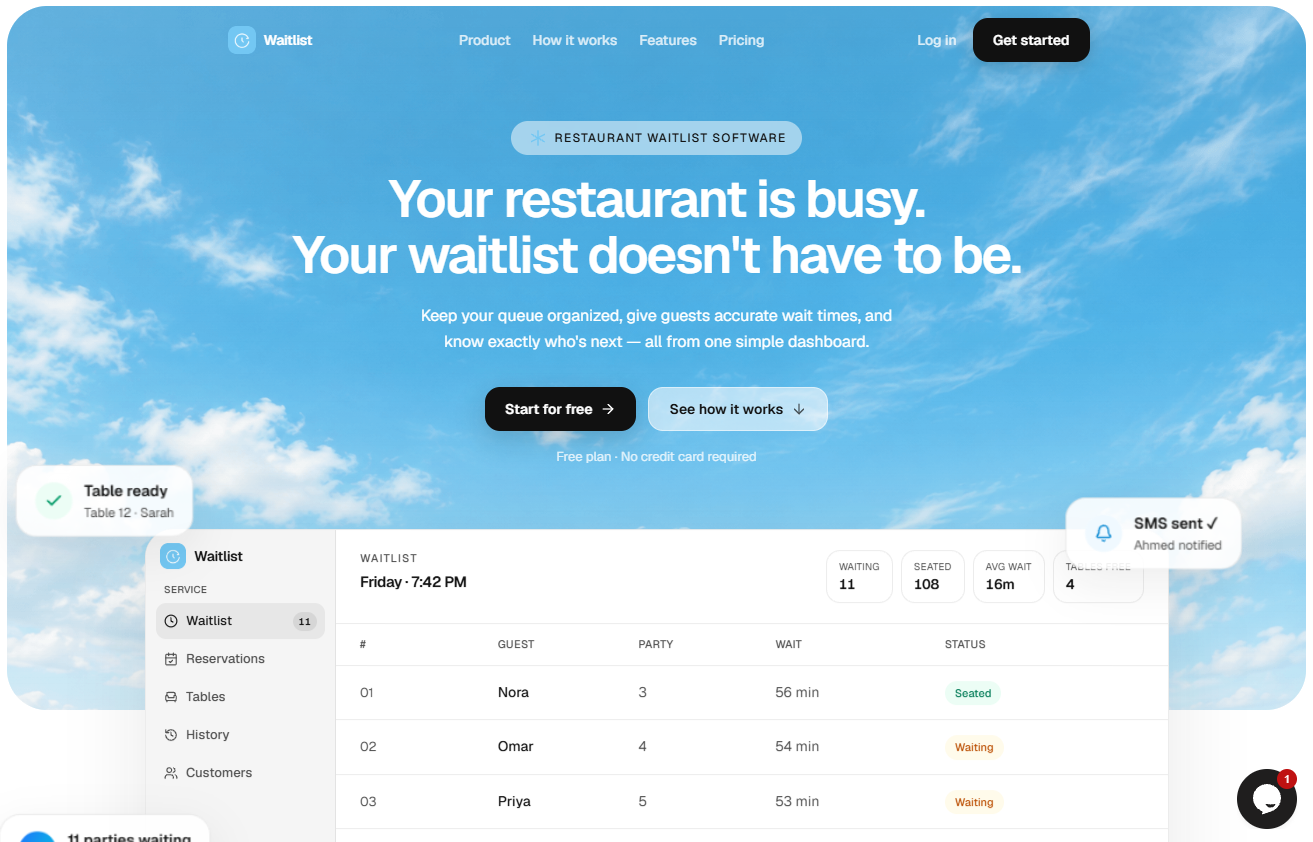
If a walk-in does not come back, mark no-show. If they show up after that and you still have the table, choose Move to waiting. A second row for the same party is how two hosts seat them twice.
Walk-ins are on Free: one location, up to 50 parties a day, no credit card. Reservations, areas, and table status (free or occupied) are on Pro. The free plan cannot hold tonight's reservation book. It can hold the list you use to refill.
What a host list will not collect
A card on file, a deposit, and a no-show fee belong in a product that charges cards. Waitlist does not store a card and does not charge a guest. Use that kind of rule only after the walk-in list fails to refill the slot, and only if the guest saw the cancel window before they booked. Holidays, tasting menus, and large parties are the usual case. A weeknight two-top you can refill from the door does not need one.
Waitlist also does not send reservation reminder email, and it does not run a kitchen screen, a POS, or a QR menu. None of those decide whether the 7:30 party sat down.
Count the next three Fridays
Write three numbers after service:
Reservation parties marked no-show
Walk-in parties marked no-show
Released tables that got a walk-in before the next turn
History keeps seated, canceled, and no-show parties on the account. That history is not the report pack. Pro adds no-shows by the hour the party walked in or was booked, and by weekday, plus a CSV. Free does not include those reports. If your marks cluster on Saturday at 8 p.m., confirm that turn first. If they cluster as walk-ins, fix the quote and the ready message before you write a fee.
What to change after you count
If the tallies are walk-ins who missed their name, run the list on Free for one location and send the ready message. If the tallies are reservations, move to Pro so the book and the walk-in list sit in one account, then confirm those bookings yourself.
Pro is $30 a month, or $24 a month billed annually. Annual is 20% off $30. Cancel from Settings. Pro lasts through the period you paid, then the account is Free again. There is no multi-year contract.
If the tallies are slots you cannot refill, write the fee in a system that charges cards. Waitlist will not do that job.
The buying guide for the host list is restaurant waitlist software. Start on Free if the door list is the hole. Read pricing before you move the reservation book.
FAQ
How do you reduce no-shows in a restaurant?
Confirm the booking the day before, tell the guest how to cancel, hold the table for a window you stated, then seat a walk-in. Charge a fee only for slots that list cannot refill.
What is a restaurant no-show?
A party you held a table for who did not sit and did not cancel. Count reservation no-shows separately from walk-ins who left before you seated them.
How long should a restaurant hold a reservation?
Use one number you say at booking, then release the table. The software does not time that hold. A number you never say out loud is not a policy.
Does a waitlist stop reservation no-shows?
No. A waitlist fills the table after you release it. It does not make the booked guest arrive on time. It is how a walk-in hears that the table is ready.
Should you charge guests who do not show?
Only when you cannot refill the slot, and only if they saw the cancel window before they booked. Waitlist does not store a card or take that payment.
Does Waitlist send reservation reminders?
No. The guest's reservation link is a request. You confirm it. WhatsApp on Waitlist tells a walk-in the table is ready. Two-way SMS is Coming Soon and is not a reminder you can send today.