October 20, 2026
Queue management system software for one walk-in counter

TL;DR
Waitlist — A restaurant host list. Guests join from the host stand, or by scanning a QR code for the link the restaurant provides. They get WhatsApp and see their place in line. Free up to 50 parties a day. Pro is $30/month, or $24/month billed annually.
ScanQueue — A virtual queue for service businesses. Guests join from a QR code in the browser. WhatsApp starts on the $49/month plan.
Waitlist Me — Waitlist, reservations, and a kiosk. Premium is $27.99/month billed annually, or $34.99 month to month, with 1,000 notifications.
Qminder — iPad check-in, an Apple TV waiting-room screen, and several service lines. The Premium price printed on their page is $1,149/month.
Pick by the counter you actually run.
One restaurant host stand, and guests already use WhatsApp: Waitlist.
People should leave the lobby and watch the line on their phone: ScanQueue.
You want a kiosk or a website widget at a small monthly price: Waitlist Me Premium.
You need a lobby TV, more than one service line, or a vendor that lists HIPAA on the pricing page: Qminder, on a different budget.
The short answer
Queue management system software replaces the clipboard with a named line. Staff see who is next. The guest gets a message when it is their turn, instead of asking "how much longer?" from the counter.
For a single US walk-in counter, start with the join method and the message channel you will really use on a busy hour. A host list, a QR code for the link the restaurant provides, and WhatsApp fits Waitlist. A browser queue that lets people wait somewhere else fits ScanQueue. A kiosk at a published small-business price fits Waitlist Me. A lobby display and several lines fit Qminder, if the monthly price is acceptable.
You are not shopping for a theory of lines. You are replacing a list that fails when six people are waiting and two of the names are unreadable. The software queue management job is the same in a dining room, a salon chair, or a clinic front desk: a name, a wait you can say out loud, and a way to call the person without shouting.
Prices below come from each vendor's public pricing page on October 20, 2026. Check the page again before you move a Saturday onto a new tool.
What the queue system has to do
Electronic queue management means the line lives on a screen. A paper list is still a queue. It just fails in private, when the next name is smudged and the guest has already left.
A useful queue system does four things:
Records the person and the size of the party, or the service they are waiting for.
Shows a wait the guest can look at, so they stop stacking up at the counter.
Sends a message when it is their turn, on a channel already on their phone.
Lets staff mark them served without hunting through notes.
Guests should not have to install an app. Every extra step at the door loses someone who only stepped in because they were already nearby.
Skip ticket-only systems if your guests expect to hear their name. Skip a restaurant host product if you need numbered tickets on a TV in a clinic lobby. Those are different queue management systems, and the rest of this guide keeps them apart.
Comparison
Software | How people join | How you call them | Published starting price | Fits when |
|---|---|---|---|---|
Waitlist | Host adds them, or the guest scans a QR code for the link the restaurant provides | WhatsApp. Manual on Free. Automatic on Pro. Two-way SMS is marked Coming Soon | Free up to 50 parties/day. Pro $30/month, or $24/month annual | One restaurant host stand |
ScanQueue | QR code check-in in the phone browser | 5 SMS/month trial on Free. WhatsApp on the $49 plan | Free up to 100 joins/month. Essential $49/month | People should wait away from the door |
Waitlist Me | Host on a tablet or computer. Self check-in and kiosk on Premium | Text and phone. Notifications are metered after the plan allowance | Free version exists; limits are not published. Premium $27.99/month annual, or $34.99/month | You want a kiosk or widget without an enterprise contract |
Qminder | iPad kiosk, remote link, or staff. Name-based waitlist | SMS and chat. US, UK, and Canada SMS are described as included, with possible extra fees | 14-day trial. Premium $1,149/month ($12,588/year) | Several lines, a lobby TV, and a compliance checklist |
Waitlist
Waitlist is restaurant waitlist software. A host adds a name, phone, and party size. The restaurant can also give guests a link, including as a QR code, so they join the waitlist or a reservation from their own phone. They get a WhatsApp with a personal link that shows their place in line. When the table or seat is ready, you message them again.
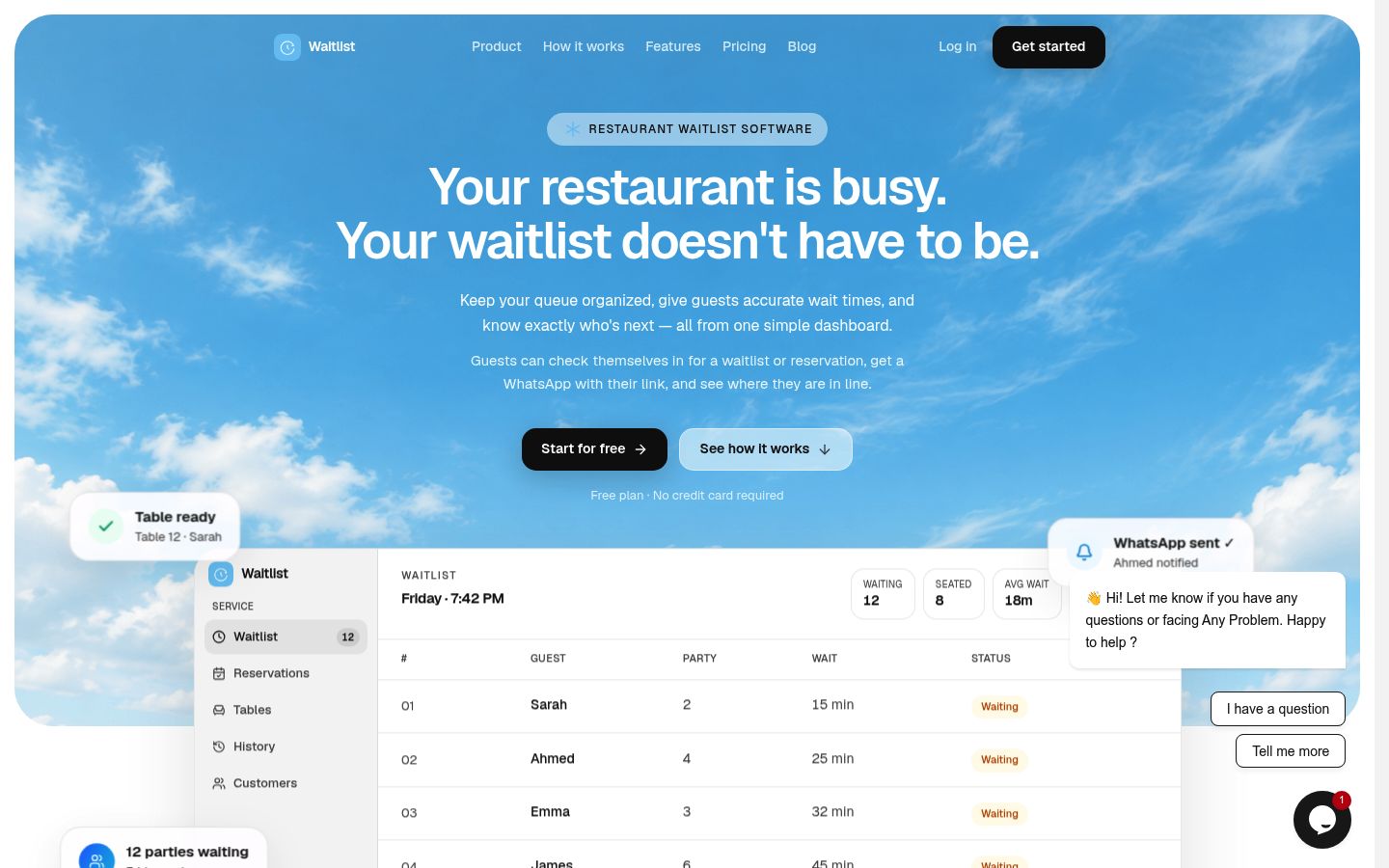
It is the simplest match for an independent dining room that wants the list, the wait, and the "you are up" message in one place. The public site is written for a host stand, not for a hospital lobby. A salon or a small clinic can use a named list the same way only if they do not need ticket numbers, a TV, or a HIPAA claim. Waitlist's pages do not make a HIPAA claim.
Pricing. Free is $0 for 1 location, a digital waitlist, and manual WhatsApp, up to 50 parties a day. No credit card. Pro is $30/month, or $24/month billed annually. Pro adds analytics, unlimited locations, reservations, table management, automatic WhatsApp, and priority support. Two-way SMS is labeled Coming Soon on the pricing block, so it is not a feature you can turn on today. Details are on pricing.
Drawback. Fifty parties a day is a real cap on a packed Friday, and free messages are manual. The product speaks restaurant: parties, tables, and a host. If your queue is "window 2, then window 3" on a wall screen, this is the wrong shape.
Verdict. Use it when the counter is a host stand and WhatsApp is how guests already reply. Start on the free plan and run one weekend before you judge Pro.
ScanQueue
ScanQueue is a virtual queue. The guest scans a QR code, enters their details in the browser, and watches a live place in line. Staff call them from a dashboard. The pricing page aims this at service businesses, not only restaurants.
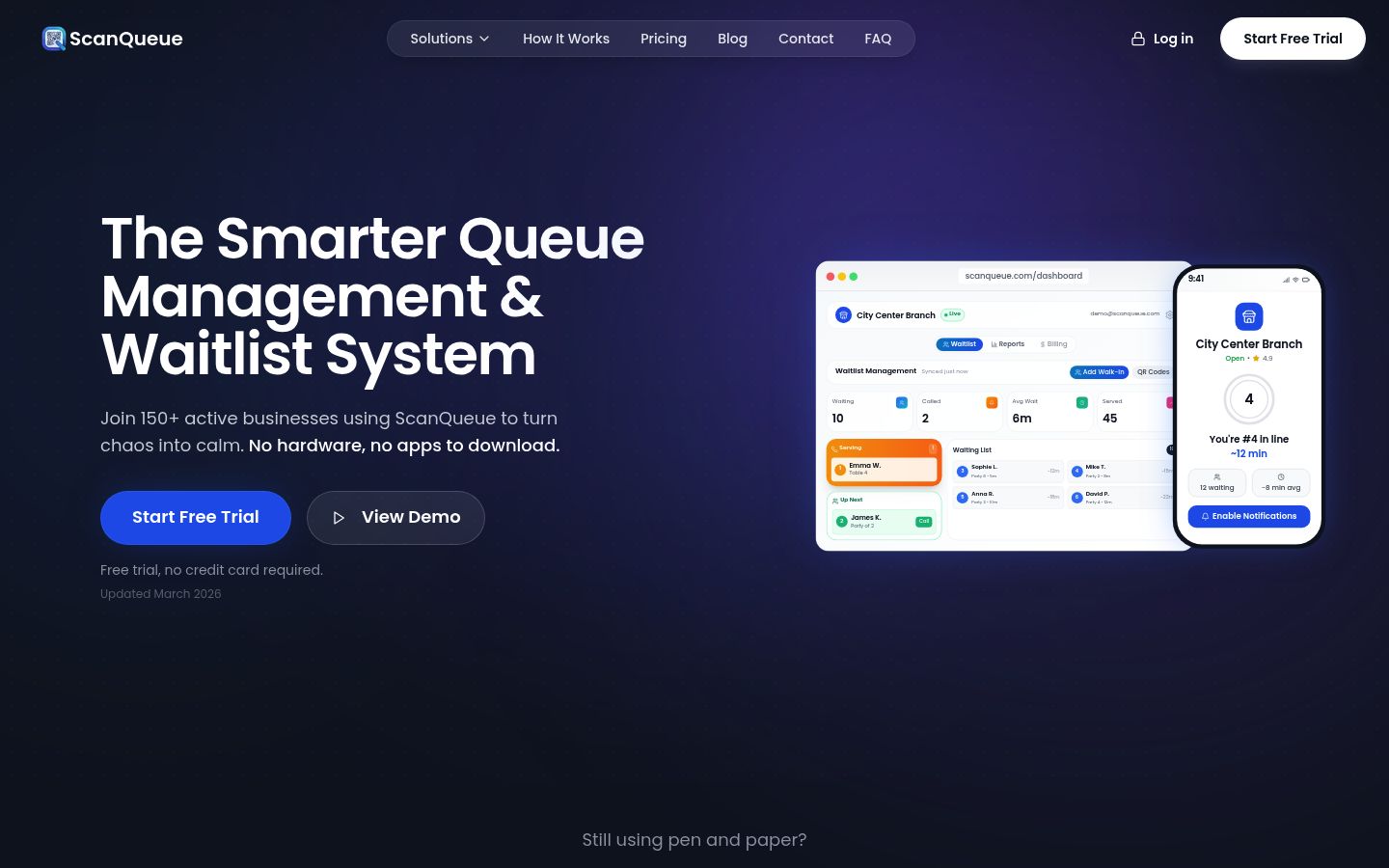
That is the right product when the win is getting people out of a cramped doorway. They wait in the car or down the block and still know where they stand.
Pricing. From ScanQueue's pricing page: Starter is free, up to 100 queue joins a month, with QR check-in, real-time updates, and a 5 SMS/month trial. No custom branding, and voice is not included. Essential is $49/month and includes 800 WhatsApp notifications and 25 SMS (WhatsApp fallback only). Growth is $99/month, Pro is $249/month, Enterprise is $499/month. Voice calls are a paid add-on from Growth up. No setup fee, month to month.
Drawback. One hundred joins a month can disappear on a single busy Saturday. WhatsApp is not on the free plan. Restaurant table management is not the center of this product. Read the Essential line before you assume texts are plentiful at $49. Twenty-five SMS is a fallback cap, not a texting plan.
Verdict. Choose ScanQueue when guests should leave the lobby and follow the line on their phone, and you can live inside the join cap or pay $49.
Waitlist Me
Waitlist Me is a waitlist and reservation app for restaurants and other walk-in businesses. Their pricing page says hosts use an iPad, Android tablet, or a computer browser, and guests do not install an app. Messages go out by text or phone.
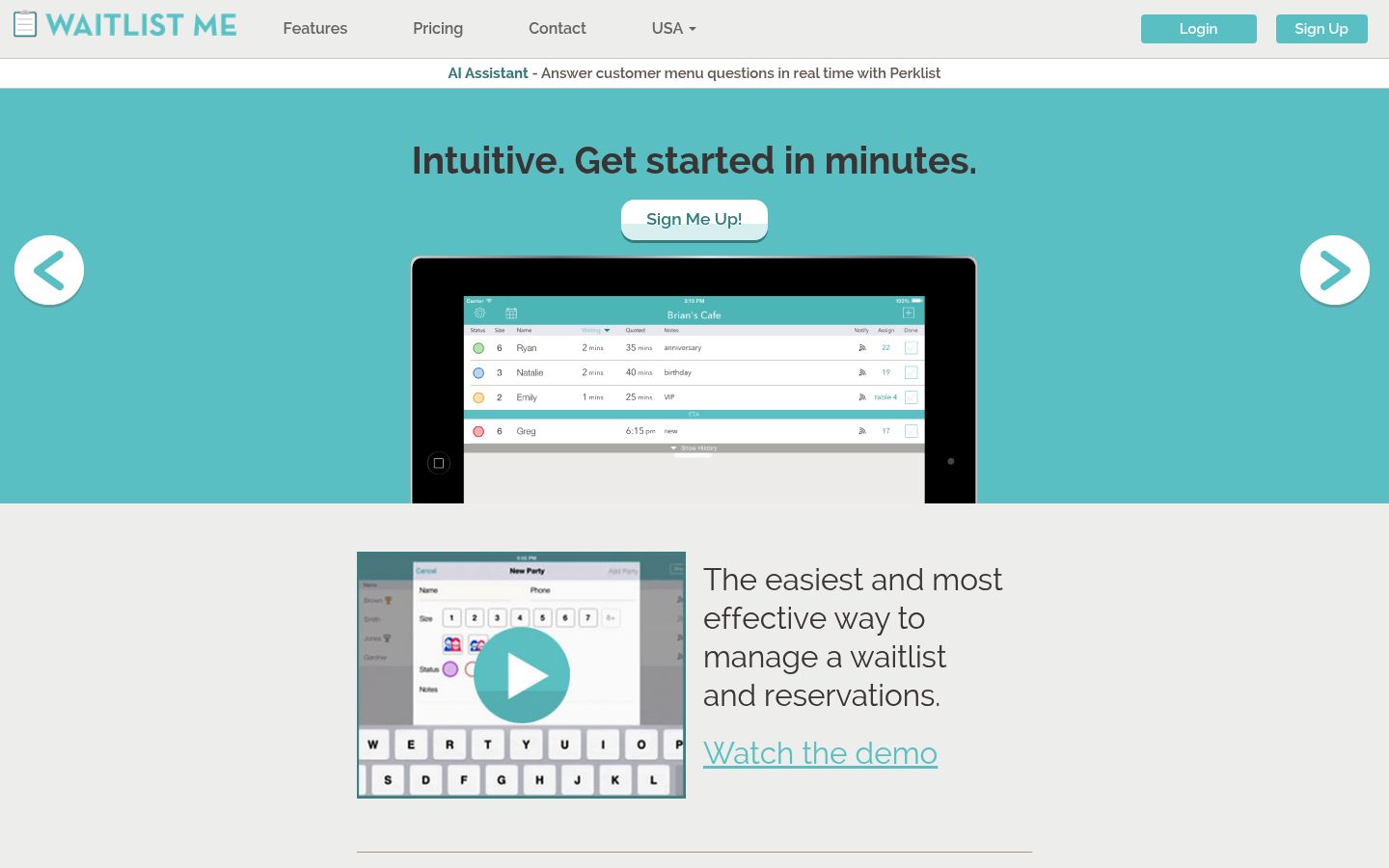
Self check-in is a paid feature. Premium lists an "add yourself" web widget, self check-in, kiosk mode, and a public waitlist page, plus a reservations calendar. Pro on that page adds table or resource management for non-restaurants, two-way texting, and predictive wait estimates.
Pricing. Waitlist Me says a free version exists. The page does not publish what that free account includes, so do not assume self check-in is in it. Premium is $27.99/month billed annually ($335.88 a year) or $34.99 month to month, with 1,000 notifications, then $0.02 each. Pro is $47.99/month annual or $59.99 month to month, with 2,500 notifications. See their pricing page.
Drawback. The free offer is real and vague. Notification allowances are part of the price, so a busy day costs more once you pass the included texts. Kiosk mode and self check-in are listed on Premium. The free tier's feature list is not published, so do not assume those are included.
Verdict. Use Waitlist Me when you want a kiosk or a website widget and you want the US price in writing before you talk to sales.
Qminder
Qminder is queue management software for in-person service: a staff dashboard, an iPad check-in kiosk, a waiting-room Apple TV app, remote check-in, and a name-based waitlist. Their pricing page also lists several service lines, SMS, and HIPAA compliance on the plan grid.
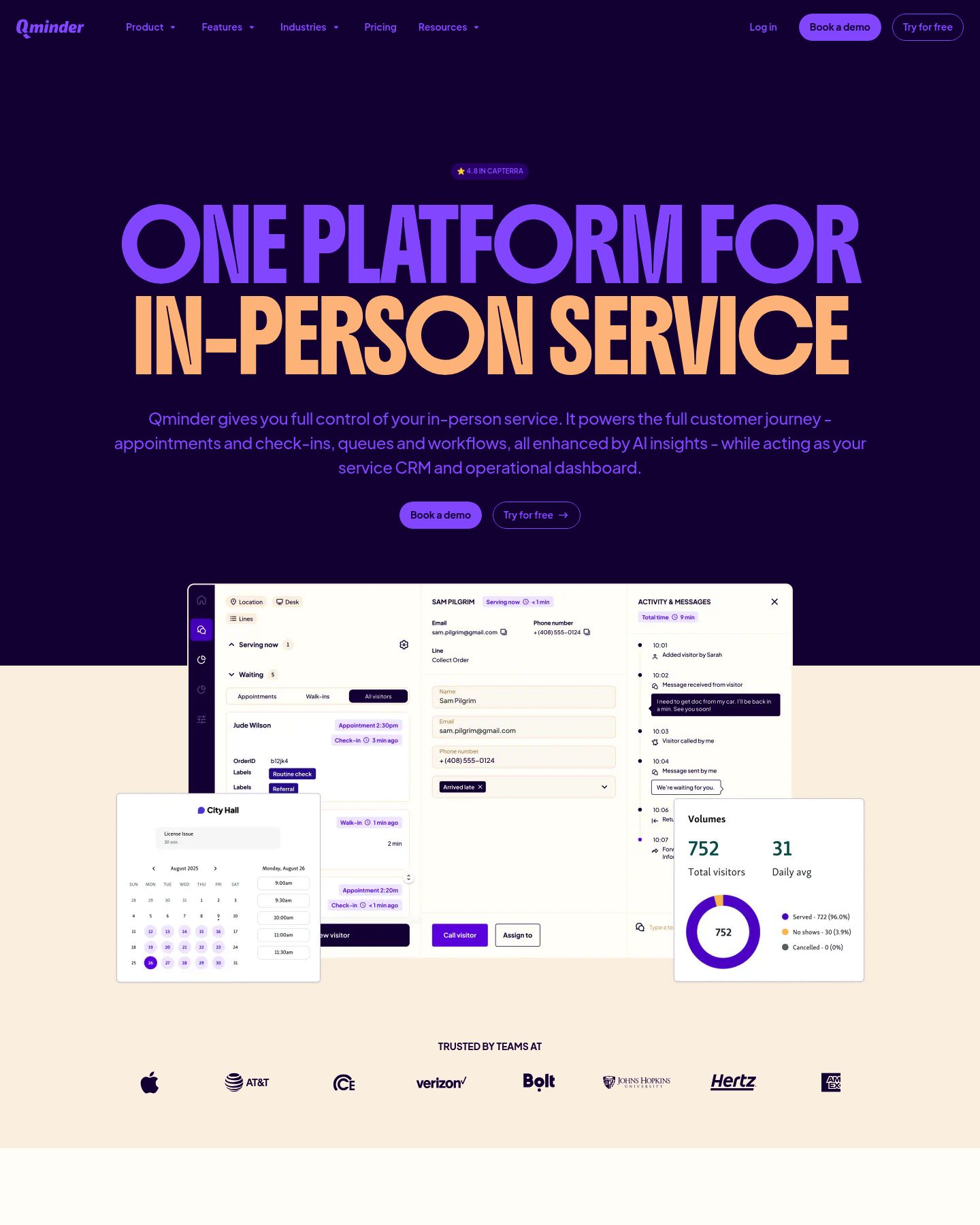
This is the tool the phrase "queue management system" often points at in a bank, a clinic, or a government-style service counter. It is a poor fit for a 40-seat dining room that needs a host to seat Sarah, party of 2.
Pricing. Qminder offers a 14-day trial. The Premium plan is printed as $1,149/month, or $12,588/year. Premium adds custom branding, an API, SSO, and a dedicated account manager on top of the Business feature set. This draft does not state a Business dollar amount, because that entry price was not printed as a single figure on the page reviewed here. Confirm it on Qminder's pricing page or on a demo. Hardware is separate. Their FAQ says a basic setup needs a browser, an iPad and stand for the kiosk, and an Apple TV if you want the waiting list on a TV.
Drawback. You are buying a service operation, not a host stand. One month of Qminder Premium ($1,149) costs more than three years of Waitlist Pro at $30/month. SMS for the US, UK, and Canada is described as included, with a note that extra fees may apply. If you only needed "text the next name," you will overpay.
Verdict. Pick Qminder when the lobby has a screen, more than one line, and someone who will own the rollout. Do not pick it to replace a clipboard at one restaurant door.
Which queue software should you buy?
One host, mostly walk-ins, guests who open WhatsApp. Add the party at the stand, or put out the link as a QR code and let guests join themselves. Waitlist matches that pattern. Move to Pro when you also take reservations, need more than one location, or want the WhatsApp to send itself.
The line blocks the door. ScanQueue is built for people waiting somewhere else. Stay on free only if 100 joins a month is enough. Otherwise budget Essential at $49 and treat WhatsApp, not SMS, as the channel.
A tablet at the entrance, or a form on your website. Compare Waitlist Me Premium with what your front desk will actually tap. The published annual price is the reason to shortlist it. Ask them what the free account excludes before you demo the kiosk and discover it is a paid switch.
A clinic, a DMV-style counter, or several service windows. Price Qminder, and ask about HIPAA and the Apple TV screen on the first call. Waitlist and ScanQueue are the wrong products if a compliance checkbox is the reason you are buying.
You searched this because a blog promised "the best queue management software." There is no single winner. A $30 restaurant plan and a $1,149 service platform are both queue software. They fail different jobs.
Run the cheapest plan that includes the join method you picked. Count three things after one busy period: people added, times someone asked "how much longer?", and people who never came back when called. Pay for the next limit you actually hit. That is usually messages, a higher cap, or a second location.
FAQ
What is queue management software?
It is the system that keeps a live line of people waiting for a table, a chair, or a service window. Staff see who is next. The guest can see their place and get a message when it is their turn. A clipboard is the old version of the same job.
What is the difference between a queue system and a waitlist?
A waitlist is usually names in order: Sarah, then Ahmed. A queue system can be that list, or it can be numbered tickets, several service lines, and a screen in the lobby. Restaurants usually need the names. A clinic or a service center often needs the lines and the screen.
How much does queue management system software cost?
Small waitlist tools publish a free plan and a monthly price under $50. Waitlist Pro is $30/month, or $24/month billed annually. ScanQueue Essential is $49/month. Waitlist Me Premium is $27.99/month on an annual plan. Qminder Premium is $1,149/month. Those numbers are from public pages on October 20, 2026.
Do guests need to download an app?
Not for Waitlist, ScanQueue, or Waitlist Me. Waitlist uses the link the restaurant provides, including as a QR code, then WhatsApp. ScanQueue uses a QR code in the browser. Waitlist Me uses text, calls, and the phone browser. Qminder's customer side is a kiosk, a link, or SMS. Staff may still want a tablet.
Can one product run more than one location?
Waitlist puts unlimited locations on Pro. The free plan is one location. ScanQueue lists multi-location support on its Pro plan at $249/month. Waitlist Me says subscriptions include multi-location management. Qminder's pricing page says locations are unlimited, including on the lower tiers. Confirm the tier before you open a second site.